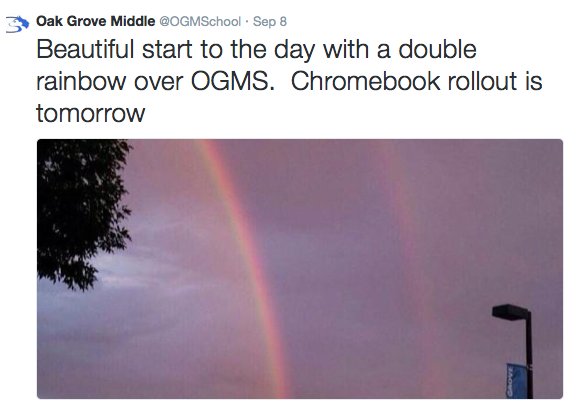
The past 3 days we rolled out Dell 11 Chromebooks to 6th, 7th and 8th graders at 3 different middle schools in the Bloomington Public School district. It went great--which was attributed to our summer preparation by our Technology department and the Teaching and Learning department's collaboration with schools and teachers to make "Boot Camp" (roll out) day well prepared and exciting for the kids!
Here are some common issues we had during the roll out day.
Issue: Students are seeing an avatar when first opening the Chromebook. They try to enter their password and they can't log in.Solution: This is because we used a generic school login to enroll and set up the devices. All the student has to do is click on +add user and log in. (show usernames and avatar setting is on)
Issue: Get message at log in that password cannot be verified. (it will let you log in sometimes but then you shut the lid and it won't let you log back in - very weird).
Solution: Sign out and shutdown. Restart, log in and update by going to Settings/Help and update the machine.
Issue: An unwanted avatar is showing up when starting the device.
Solution: Click the down arrow on the unwanted avatar. Click "remove this user".
Issue: Offline Mode and it says sync passphrase in a yellow box on the bottom.
Solution: Click the yellow box, click on Google dashboard link, scroll down, click clear sync. Shut down, restart.
Issue: Chromebook won't turn on, even if it's charging.
Solution: Make sure the charger is plugged in, press the refresh button + the power button. It will reset the battery and turn on!
Issue: Not enough space for offline mode message.
Solution: Make sure that it syncs all of the files completely.
Solution: Check to see if the hamburger icon in the top-right is turned orange. If it is you should use the solution above to clear the sync.
Solution: Make sure that the device is in an OU that has "do NOT clear local data".
Issue: Offline mode doesn't work - not available message.
Solution: Common problem, especially when kids are doing it all at once in a class:) You have to wait until all of the files are done syncing. You can check the progress by going to more/offline and see the number of files left o sync.
Issue: "It's not letting me log in."
Solution: Make sure they are adding in the @domain.org at the end of the username.
Issue: Student was seeing a different language on their Chromebook.
Solution: Take an English Chromebook and follow steps to change the language via the settings.
Issue: Student was seeing a different language within their Google account.
Solution: Go into the Google Drive settings and change the language there.
I would say the 2 most common problems were (1.) user error and (2.) an issue with our WiFi setup, where we have to log in with certain credentials, which was very easy to fix. The other issues I listed happened but not that often.
Other notes
- Many devices were low on battery due to them sitting for a few months.
- We had Curriculum folks there walking around rooms while teachers were teaching their boot camp lessons.
- We had several people from Technology in a common location at the school for trouble shooting.
- We told teachers to have the student shut down and restart at least twice and if there was still a problem, send them to the Tech people.
Hooray for Chromebooks!
Common Issues On Roll Out Day With Dell 11 Chromebooks >>>>> Download Now
ReplyDelete>>>>> Download Full
Common Issues On Roll Out Day With Dell 11 Chromebooks >>>>> Download LINK
>>>>> Download Now
Common Issues On Roll Out Day With Dell 11 Chromebooks >>>>> Download Full
>>>>> Download LINK 1o