We have purchased licenses for the Chromebook Dashboard Management Console and today I noticed that under Settings the "Chrome OS" name has changed to "Chrome". Big deal or not? Why did they change it?
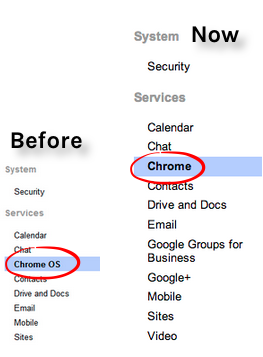
I'm hoping that the Chrome (Chrome OS) section will no longer be just for those who purchased the management console for Chromebooks, but a section for domain admins to control the Chrome browser for users (not just for Chrome settings on the Chromebook).
For example, pre-installing extensions on a Chrome browser for domain users when they're on a desktop computer or the "Chrome web store homepage" option to have the Chrome Store default to the domain's recommended apps.
*So, I just noticed that the setting for "Chrome web store homepage" is actually applied to my account signed into Chrome on my desktop. If this works on non-Chromebooks, why not give this setting to all GAFE domain admins? Obviously the technology is there and working.

If these changes mean nothing for non-Chromebook people, this post can act as another "wish". It would be cool to control "Pages to Load on Startup", pre-installed extensions, blocking and approving of extensions, showing the bookmark bar, showing the home button, etc. for users signed into Chrome on any device.
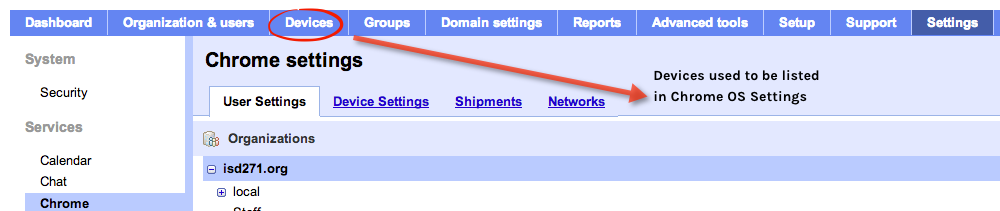
Another (possible) hint that Chrome browser settings may be available to all GAFE domains is the fact that the Chromebook (device) settings and the Chrome (browser) settings have been separated. Devices used to be in "Chrome OS" along with Chrome browser specific settings. Devices has been moved into the main navigation.
Thoughts?
EDIT: No wonder the settings look different in Settings/Chrome - the "Applications" section which used to be it's own section is merged with the "User Settings"

No comments:
Post a Comment